


- Joined
- Oct 12, 2023
- Messages
- 249
- Reaction score
- 44
Email newsletters are a digital marketing tool that helps businesses connect with their audience, share important information and promote products or services. They may not be new, but they remain highly relevant and effective today. To simplify email campaign management, companies use specialized services that help create emails, segment audiences, automate email sequences, and analyze engagement metrics.
Email marketing is the promotion of products and services using email. Emails help motivate targeted actions, such as purchasing a product or submitting an application. To achieve this, a series of emails is often needed, rather than a single message, each one fulfilling a specific marketing objective. According to BlueDot Email , an US email marketing platform, 60% of consumers make a purchase after receiving a promotional email.
Email newsletters can serve different purposes within a marketing strategy, including informational content such as surveys and articles, promotional messages like product reviews, transactional emails (for example, receipts and order confirmations), welcome emails for new subscribers or clients, and re-engagement messages aimed at recovering abandoned carts or reactivating inactive users.
The main functions of email newsletters are:
We’ve compiled a selection of email marketing tools to meet the needs of a wide range of companies:
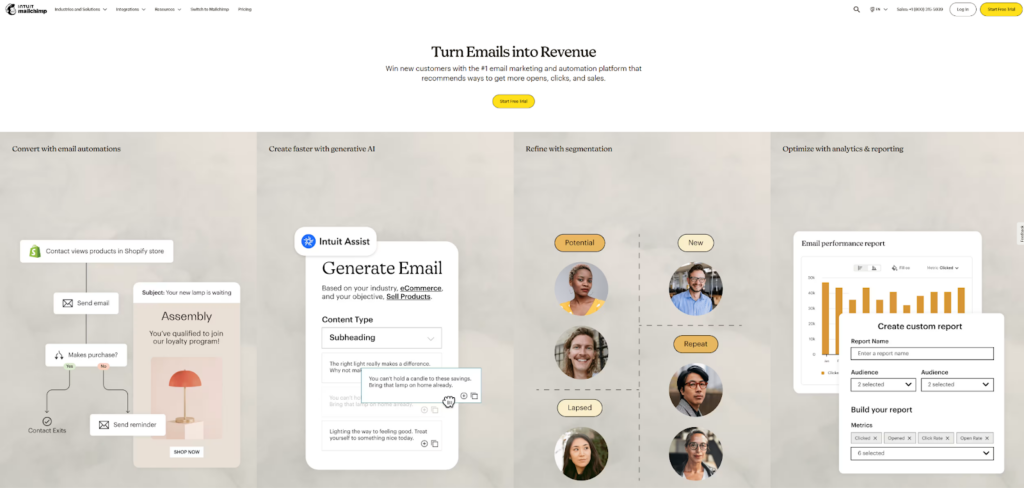
Source: Mailchimp
What it’s for: Creating, sending, and optimizing email campaigns, including basic automation, audience segmentation, and performance tracking.
Best for: Companies looking for a versatile and intuitive tool for email marketing and basic automation.
Payment options: Free plan, paid plans (from $13 per month).
Mailchimp is a widely known and accessible email marketing service. It combines an email editor, audience segmentation, automation, reporting, and simple CRM features. The service is easy to use, making it suitable even for beginners.
The service allows users to design emails, add visuals, and arrange content boxes in the desired location and order. The free plan offers most of the features, giving an opportunity to fully send emails to your subscribers.
The service also allows you to conduct A/B testing to determine which email variant performs best.
Key features:
Disadvantages:
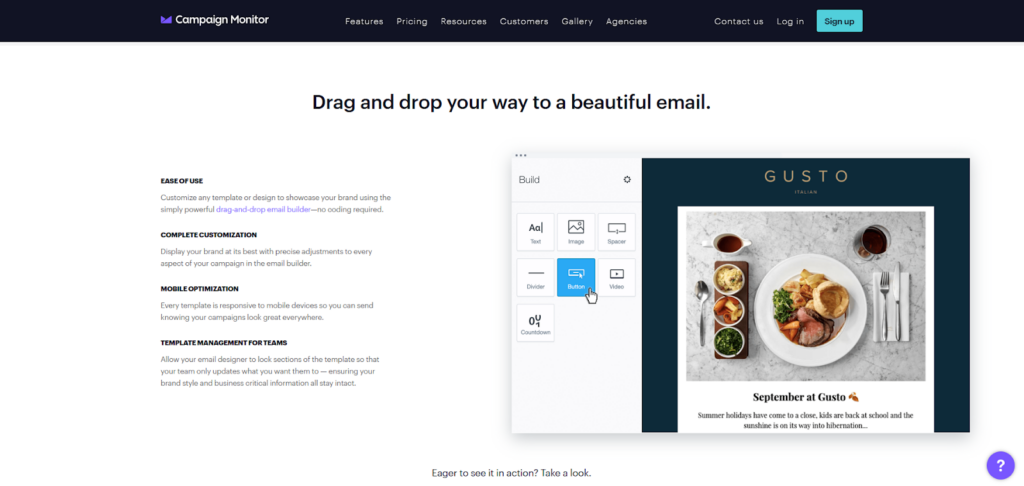
Source: Campaign Monitor
What it’s for: Designing and sending visually rich email campaigns with personalized content, simple automation, and detailed delivery and engagement analytics.
Best for: Businesses looking for a simple email editor with the ability to add visual and dynamic content, engaging templates, and intuitive automation, without the need to implement complex CRM systems.
Payment options: Free trial period, paid plan afterward (from $11 per month).
Campaign Monitor is designed for content visualization and email personalization. No designer is required. The service offers numerous templates and an integrated email builder that’s easy to use, even for beginners.
Campaign Monitor has a minimalist design and a simple interface, suitable for beginners in email marketing. The service allows you to create and automate email campaigns, subscription forms, and manage all campaigns from a single dashboard.
Key features:
Disadvantages:
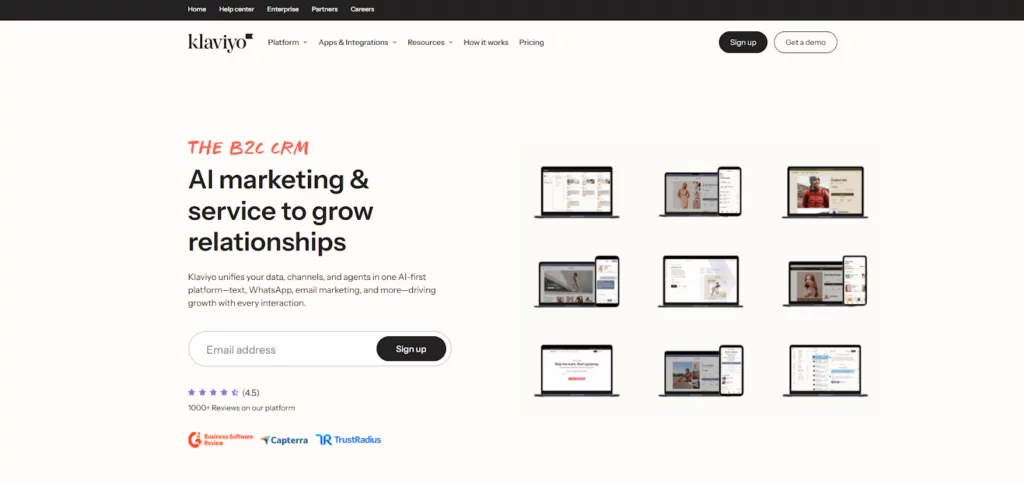
Source: Klaviyo
What it’s for: Building data-driven email and SMS campaigns based on customer behavior, purchase history, and real-time e-commerce events to drive sales.
Best for: Online stores that need powerful e-commerce integrations and behavior-based scenarios.
Payment options: Free plan, paid plans (from $20 per month).
Klaviyo is one of the most popular e-commerce tools. The service includes a wide range of solutions for marketing companies and combines customer data, browsing activity, carts, and orders to create hyper-personalized sales funnels.
Also, Klaviyo offers a wide range of customer engagement tools, including email, SMS, and social media. This allows users to create cross-channel campaigns and manage them through a single platform.
The service offers powerful features for online marketing automation. These can be used to launch complex communication chains based on user behavior and other triggers. For instance, you can set up automated messages for clients who have made a purchase or for those who have previously responded to emails.
Key features:
Disadvantages:
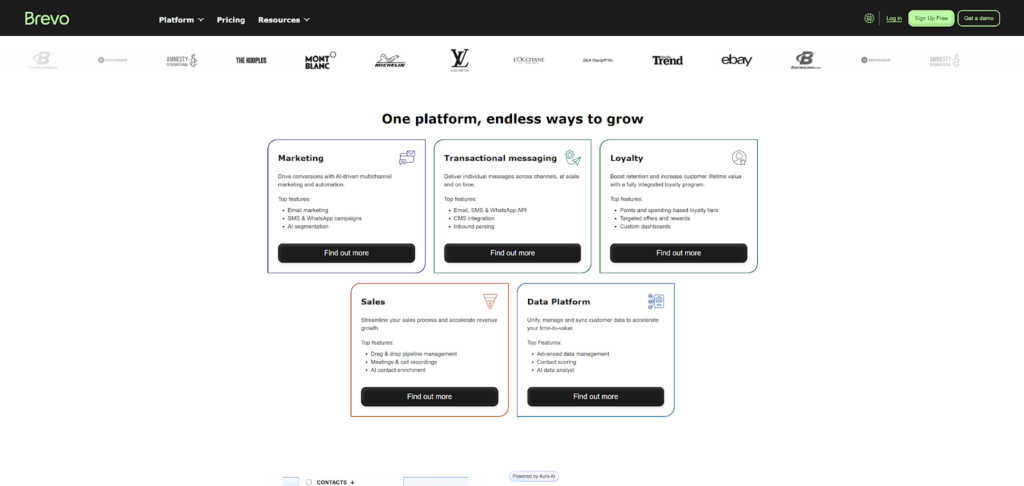
Source: Brevo
What it’s for: Managing customer communications across email, SMS, and messaging channels, with basic automation, contact management, and compliance tools.
Best for: Companies that need a multipurpose tool that includes multiple customer communication channels, as well as simple CRM tasks.
Payment options: Free plan, paid plans (from $9 per month).
Brevo helps to see the full picture of customer interactions, manage a contact base, and evaluate the effectiveness of communication channels. The platform emphasizes simplifying organizational processes and centralized control over all communications, helping companies quickly adapt their audience engagement strategy.
The free plan allows users to send 300 emails per day. If you have a small customer base or detailed subscriber segmentation, this plan is sufficient.
Key features:
Disadvantages:
Source: ActiveCampaign
What it’s for: Automating complex email marketing and sales workflows using behavior-based triggers, advanced segmentation, and CRM-driven customer journeys.
Best for: Businesses that need deep automation, complex scenarios, and tight integration with CRM processes.
Payment options: Free trial period, paid plan afterwards (from $15 per month).
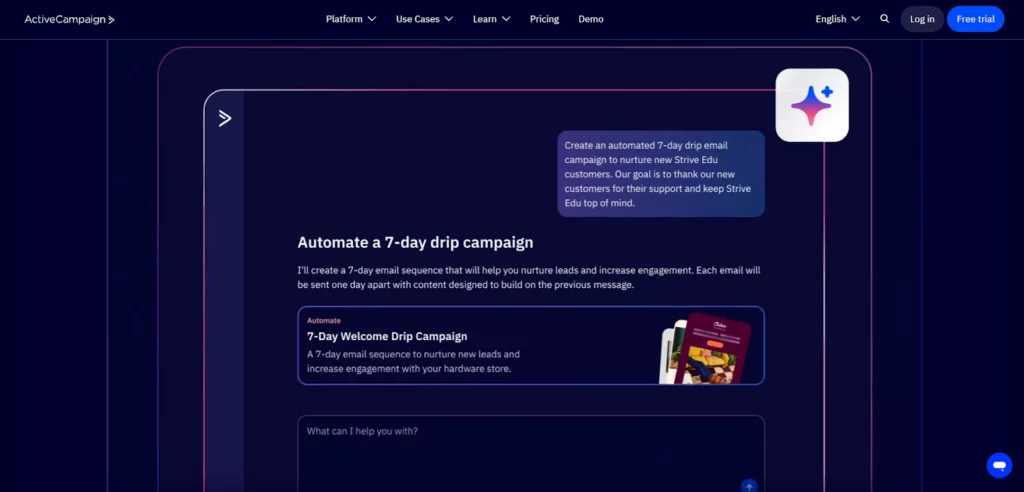
ActiveCampaign is one of the most powerful automation tools on the market with built-in AI. It allows you to automate marketing and design complex processes, while growing your customer base and increasing conversions.
The service has all the necessary features for automating advertising campaigns across various platforms. It also features a user-friendly CRM system that stores customer and sales data. This system helps users effectively manage sales, track customer interactions, and process leads from advertising sources.
Furthermore, the service supports integration with numerous third-party services and popular business tools, such as Shopify and WordPress, as well as other e-commerce and non-e-commerce solutions.
Key features:
Disadvantages:
Source: GetResponse
What it’s for: Running end-to-end marketing campaigns that combine email newsletters with landing pages, lead capture, webinars, and conversion tracking.
Best for: Businesses who need an all-in-one tool with the ability to create landing pages, webinars, and campaign launches in one place.
Payment options: Free plan, paid plans (from $19 per month).
GetResponse allows users to manage the entire customer communication cycle, integrate various interaction channels and evaluate campaign results in a single interface. The platform helps businesses quickly adapt marketing strategies and make decisions based on audience behavior data without delving into the technical details of sending messages.
The service has an autoresponder feature, and you can also set up automatic distribution of company blog posts.
GetResponse offers a large number of email templates, making design easier, but users can also use the HTML editor to upload their own emails or create their own template from scratch.
Key features:
Disadvantages:
The choice depends on your goals. If you need simplicity and basic automation, a service like Mailchimp is suitable. If deep personalization, multi-channel support, and communication management are important, consider Brevo or ActiveCampaign. For e-commerce projects with intensive traffic and sales, Klaviyo is a better choice, and if you need as many channels as possible (landing pages, webinars, newsletters), GetResponse is the best choice.
Yes. Almost all of the tools listed offer a free plan or trial. This is a good way to try out the functionality, evaluate the usability and test segmentation and sending. However, free plans often have limited features, with fewer segmentations and no advanced analytics or automation.
Extremely. Without segmentation, your newsletter will be mass marketing lacking personalized appeal. Segmentation allows you to send targeted messages to different groups such as new users, those who haven’t purchased in a while, active customers and so on. This increases email open rates, click-through rates, and conversions.
It’s worth analyzing whether your database is segmented correctly; your emails targeted; your content and subject line optimized; your choice is A/B-tested; and trigger scenarios applied. You may have chosen the right tool, but still require work on your strategy.
Looking for more tools to power digital success? Visit it.com Domains blog and contact us on social media.
Continue reading on the it.com Domains blog...
What Is an Email Newsletter and Why Does a Business Need It?
Email marketing is the promotion of products and services using email. Emails help motivate targeted actions, such as purchasing a product or submitting an application. To achieve this, a series of emails is often needed, rather than a single message, each one fulfilling a specific marketing objective. According to BlueDot Email , an US email marketing platform, 60% of consumers make a purchase after receiving a promotional email.
Email newsletters can serve different purposes within a marketing strategy, including informational content such as surveys and articles, promotional messages like product reviews, transactional emails (for example, receipts and order confirmations), welcome emails for new subscribers or clients, and re-engagement messages aimed at recovering abandoned carts or reactivating inactive users.
The main functions of email newsletters are:
- Informing your audience. Emails are often used to communicate promotions, bonuses, sales and new product arrivals. Some brands send newsletters with a selection of articles on specific topics.
- Establishing and maintaining customer feedback. Newsletters help build a dialogue with users. Useful information, personalized offers, and surveys increase trust and foster long-term relationships.
- Developing a target customer base. The audience that subscribes to your newsletter is already interested in the products and services you offer.
- Attracting new clients. Promo codes and promotions for first purchases can motivate your audience and also serve as constant reminders of your company.
- Increasing brand awareness. Potential buyers are kept informed and regularly exposed to the company name. This can gradually build brand loyalty.
- Reminding customers about abandoned cards. You can use automated reminder emails to encourage users to complete their purchase by highlighting items left in the cart, offering assistance, or providing limited-time incentives.
- Encouraging clients to return and make repeat purchases. You can send content that will motivate repeat purchases. For instance, you can offer add-ons for a product or service they have already purchased to re-engage the audience with the brand.
We’ve compiled a selection of email marketing tools to meet the needs of a wide range of companies:
Top-6 Tools for Email Marketing
Mailchimp

Source: Mailchimp
What it’s for: Creating, sending, and optimizing email campaigns, including basic automation, audience segmentation, and performance tracking.
Best for: Companies looking for a versatile and intuitive tool for email marketing and basic automation.
Payment options: Free plan, paid plans (from $13 per month).
Mailchimp is a widely known and accessible email marketing service. It combines an email editor, audience segmentation, automation, reporting, and simple CRM features. The service is easy to use, making it suitable even for beginners.
The service allows users to design emails, add visuals, and arrange content boxes in the desired location and order. The free plan offers most of the features, giving an opportunity to fully send emails to your subscribers.
The service also allows you to conduct A/B testing to determine which email variant performs best.
Key features:
- Intelligent AI-powered content and sending time recommendations. The service uses proprietary machine learning models that analyze audience behavior and predict which emails will generate the most engagement at what time.
- Deep e-commerce integration and automatic sales data pull-in. The platform syncs with your store and automatically imports purchases, order history, customer revenue, and cart data.
- Cross-platform marketing management. This tool allows you to launch not only emails but also Facebook, Instagram and Google ads and also manage social media posts, all within a single platform.
- An internal library allows you to save images, templates and branded elements. It automatically adapts email design to your brand style.
Disadvantages:
- Limited features in the free plan.
- Less flexible automation than other services as it supports fewer branching scenarios, conditions, and behavior-based triggers.
Campaign Monitor

Source: Campaign Monitor
What it’s for: Designing and sending visually rich email campaigns with personalized content, simple automation, and detailed delivery and engagement analytics.
Best for: Businesses looking for a simple email editor with the ability to add visual and dynamic content, engaging templates, and intuitive automation, without the need to implement complex CRM systems.
Payment options: Free trial period, paid plan afterward (from $11 per month).
Campaign Monitor is designed for content visualization and email personalization. No designer is required. The service offers numerous templates and an integrated email builder that’s easy to use, even for beginners.
Campaign Monitor has a minimalist design and a simple interface, suitable for beginners in email marketing. The service allows you to create and automate email campaigns, subscription forms, and manage all campaigns from a single dashboard.
Key features:
- A drag-and-drop editor with a wide selection of templates allows you to quickly create emails, even with dynamic content.
- Templates automatically adapt to mobile devices and the auto-branding system selects colors and styles based on the company’s website.
- Trigger sequence builder for welcome emails, abandoned cart reminders and follow-ups. Scenarios can be created from triggers and conditions, combining regular and event-driven communications.
- Segment management based on behavior and interaction histories. The service automatically analyzes audience behavior and characteristics. This data makes it easy to create personalized offers.
- Detailed reports on deliverability, open rate, engagement and clicks.
- Connection to CRM, CMS (Content Management System), stores and other marketing systems. Using the API, you can create custom scenarios and automate data transfer.
Disadvantages:
- There is no free plan.
- Automation functionality is more basic than other services with fewer conditional branches, behavior-based triggers, and complex multi-step workflows.
Klaviyo

Source: Klaviyo
What it’s for: Building data-driven email and SMS campaigns based on customer behavior, purchase history, and real-time e-commerce events to drive sales.
Best for: Online stores that need powerful e-commerce integrations and behavior-based scenarios.
Payment options: Free plan, paid plans (from $20 per month).
Klaviyo is one of the most popular e-commerce tools. The service includes a wide range of solutions for marketing companies and combines customer data, browsing activity, carts, and orders to create hyper-personalized sales funnels.
Also, Klaviyo offers a wide range of customer engagement tools, including email, SMS, and social media. This allows users to create cross-channel campaigns and manage them through a single platform.
The service offers powerful features for online marketing automation. These can be used to launch complex communication chains based on user behavior and other triggers. For instance, you can set up automated messages for clients who have made a purchase or for those who have previously responded to emails.
Key features:
- Segmentation by RFM (Recency, Frequency and Monetary), shopping habits, page views, adds to cart, purchases, and other events.
- Integration with e-commerce platforms and real-time data collection. The service integrates with Shopify, WooCommerce, Magento, and other stores, automatically pulling in information about orders, carts, and customer activity.
- Predictive analytics. The service uses predictive algorithms to assess purchase probability, potential revenue, average order value, loyalty, retention, and churn.
- Visual sales and engagement reports. Dashboards allow you to evaluate the effectiveness of automations and specific audience segments.
Disadvantages:
- High cost compared to competitors.
- Beginners may need time and training to master all the functionality.
Brevo

Source: Brevo
What it’s for: Managing customer communications across email, SMS, and messaging channels, with basic automation, contact management, and compliance tools.
Best for: Companies that need a multipurpose tool that includes multiple customer communication channels, as well as simple CRM tasks.
Payment options: Free plan, paid plans (from $9 per month).
Brevo helps to see the full picture of customer interactions, manage a contact base, and evaluate the effectiveness of communication channels. The platform emphasizes simplifying organizational processes and centralized control over all communications, helping companies quickly adapt their audience engagement strategy.
The free plan allows users to send 300 emails per day. If you have a small customer base or detailed subscriber segmentation, this plan is sufficient.
Key features:
- Multi-level SMS and WhatsApp messaging, along with email newsletters. The service allows users to create unified multi-channel customer engagement scenarios.
- Built-in GDPR (General Data Protection Regulation)/CCPA (California Consumer Privacy Act) compliance and subscription management tools. The service offers flexible consent settings and automatic opt-in and opt-out management, facilitating compliance with international data protection requirements.
- Detailed personalization through dynamic content. The platform allows you to insert personalized blocks and elements into emails based on user behavior, segmentation, and preferences, ensuring more precise targeting.
- ‘Smart Contact’ technology automatically identifies duplicate and outdated addresses, helping keep your database up to date.
Disadvantages:
- Has less advanced analytical capabilities than other services.
ActiveCampaign

Source: ActiveCampaign
What it’s for: Automating complex email marketing and sales workflows using behavior-based triggers, advanced segmentation, and CRM-driven customer journeys.
Best for: Businesses that need deep automation, complex scenarios, and tight integration with CRM processes.
Payment options: Free trial period, paid plan afterwards (from $15 per month).
ActiveCampaign is one of the most powerful automation tools on the market with built-in AI. It allows you to automate marketing and design complex processes, while growing your customer base and increasing conversions.
The service has all the necessary features for automating advertising campaigns across various platforms. It also features a user-friendly CRM system that stores customer and sales data. This system helps users effectively manage sales, track customer interactions, and process leads from advertising sources.
Furthermore, the service supports integration with numerous third-party services and popular business tools, such as Shopify and WordPress, as well as other e-commerce and non-e-commerce solutions.
Key features:
- Marketing automation with deep segmentation and contingent scenarios. The service allows you to build complex customer engagement plans using divergent actions for different segments based on behavior and contact data.
- Machine learning for engagement prediction. The tool uses AI to predict email open rates, clicks and conversions.
- Integration with chatbots and web behavioral triggers. The platform tracks website behavior, including page views and actions in real time, and triggers automated email sequences or notifications integrated with chatbots.
- Sending targeted messages based on customer lifecycle. The service allows you to customize communications according to the customer’s stage whether newcomer, repeat purchaser, regular client, or lapsed and requiring reactivation. This ensures a personalized approach.
Disadvantages:
- There is no free plan.
- Requires more time to learn than other services.
GetResponse

Source: GetResponse
What it’s for: Running end-to-end marketing campaigns that combine email newsletters with landing pages, lead capture, webinars, and conversion tracking.
Best for: Businesses who need an all-in-one tool with the ability to create landing pages, webinars, and campaign launches in one place.
Payment options: Free plan, paid plans (from $19 per month).
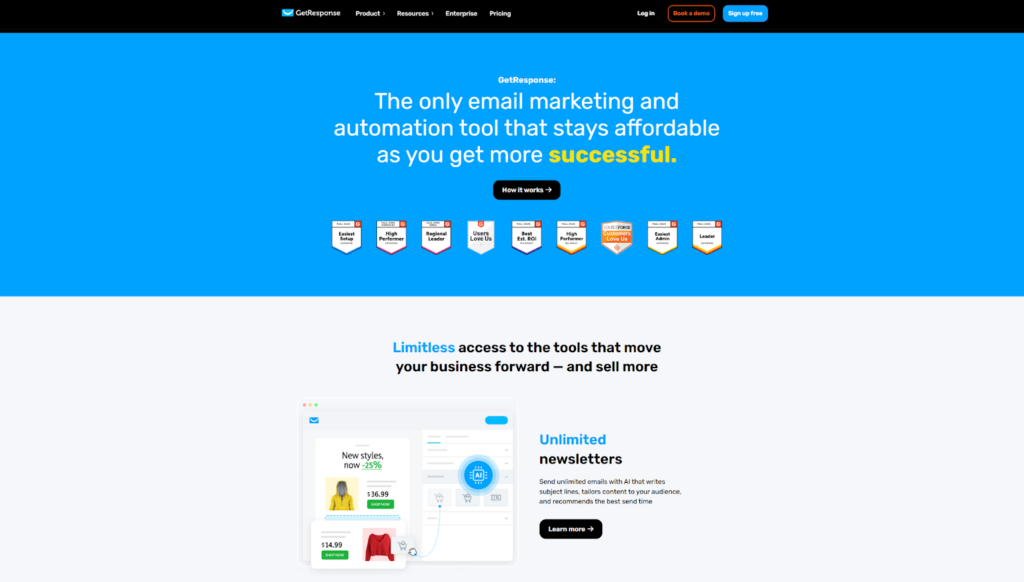
GetResponse allows users to manage the entire customer communication cycle, integrate various interaction channels and evaluate campaign results in a single interface. The platform helps businesses quickly adapt marketing strategies and make decisions based on audience behavior data without delving into the technical details of sending messages.
The service has an autoresponder feature, and you can also set up automatic distribution of company blog posts.
GetResponse offers a large number of email templates, making design easier, but users can also use the HTML editor to upload their own emails or create their own template from scratch.
Key features:
- Built-in landing page and subscription form builder. The service allows users to create fully responsive home pages and sign-up forms directly within the platform.
- Webinars and email campaign integration. The platform offers the ability to host webinars and automatically integrate them with email campaigns, reminders and follow-up emails for attendees.
- Advanced conversion and ROI analytics. The platform collects data on user actions, from subscription to purchase and provides reports on campaign performance and marketing ROI.
- AI assistant for content creation and sending optimization. Artificial Intelligence helps generate email texts and subject lines and determines optimal sending times to increase open rates and engagement.
Disadvantages:
- Complex for beginners.
- The interface is less modern than competitors’.
Key Takeaways
| Tool | Free plan | Pricing | Best for | What it’s for |
| Mailchimp | Yes | From $13 per month | Companies looking for a versatile and intuitive tool for email marketing and basic automation. | Creating, sending, and optimizing email campaigns, including basic automation, audience segmentation, and performance tracking |
| Campaign Monitor | No | From $11 per month | Businesses need an email editor with visual and dynamic content support, engaging templates, and intuitive automation. | Designing and sending visually rich email campaigns with personalized content, simple automation, and detailed delivery and engagement analytics |
| Klaviyo | Yes | From $20 per month | E-commerce businesses and online stores | Building data-driven email and SMS campaigns based on customer behavior, purchase history, and real-time e-commerce events to drive sales |
| Brevo | Yes | From $9 per month | Businesses needing multi-channel communication | Managing customer communications across email, SMS, and messaging channels, with basic automation, contact management, and compliance tools |
| ActiveCampaign | No | From $15 per month | Businesses with complex sales funnels and automation needs | Automating complex email marketing and sales workflows using behavior-based triggers, advanced segmentation, and CRM-driven customer journeys |
| GetResponse | Yes | From $19 per month | Businesses looking for an all-in-one marketing platform | Running end-to-end marketing campaigns that combine email newsletters with landing pages, lead capture, webinars, and conversion tracking |
FAQs
How do I know which tool to choose for my company?
The choice depends on your goals. If you need simplicity and basic automation, a service like Mailchimp is suitable. If deep personalization, multi-channel support, and communication management are important, consider Brevo or ActiveCampaign. For e-commerce projects with intensive traffic and sales, Klaviyo is a better choice, and if you need as many channels as possible (landing pages, webinars, newsletters), GetResponse is the best choice.
Can I start with a free plan?
Yes. Almost all of the tools listed offer a free plan or trial. This is a good way to try out the functionality, evaluate the usability and test segmentation and sending. However, free plans often have limited features, with fewer segmentations and no advanced analytics or automation.
How important is subscriber segmentation?
Extremely. Without segmentation, your newsletter will be mass marketing lacking personalized appeal. Segmentation allows you to send targeted messages to different groups such as new users, those who haven’t purchased in a while, active customers and so on. This increases email open rates, click-through rates, and conversions.
What should you do if email campaign analytics show poor results?
It’s worth analyzing whether your database is segmented correctly; your emails targeted; your content and subject line optimized; your choice is A/B-tested; and trigger scenarios applied. You may have chosen the right tool, but still require work on your strategy.
Looking for more tools to power digital success? Visit it.com Domains blog and contact us on social media.
Continue reading on the it.com Domains blog...



